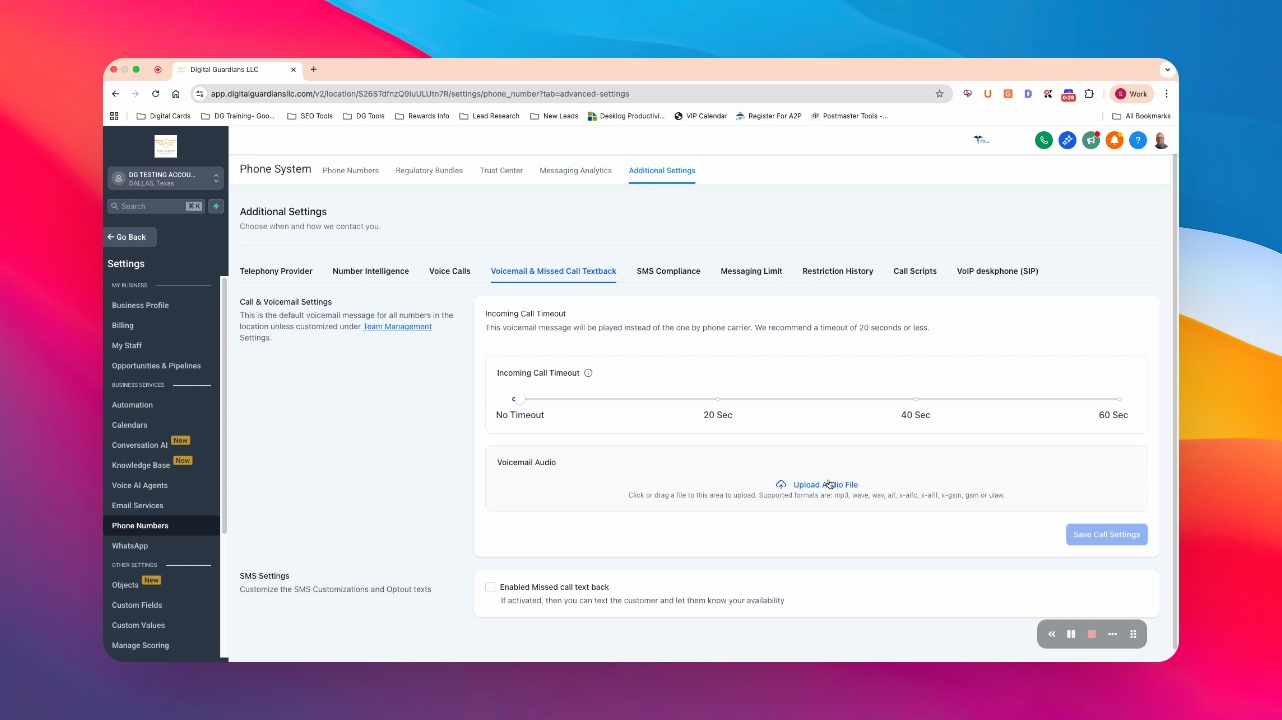

Let's do it together!
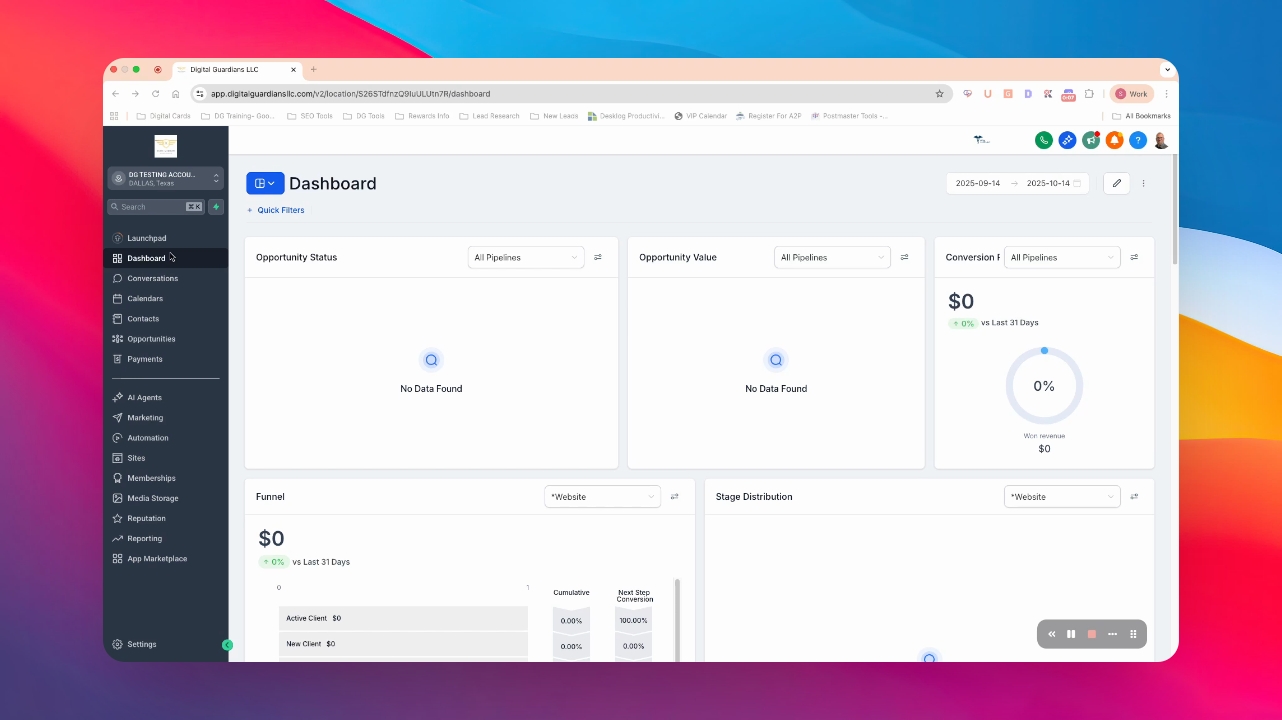
Step 1: Go to Settings
From the dashboard, navigate to the Settings section.
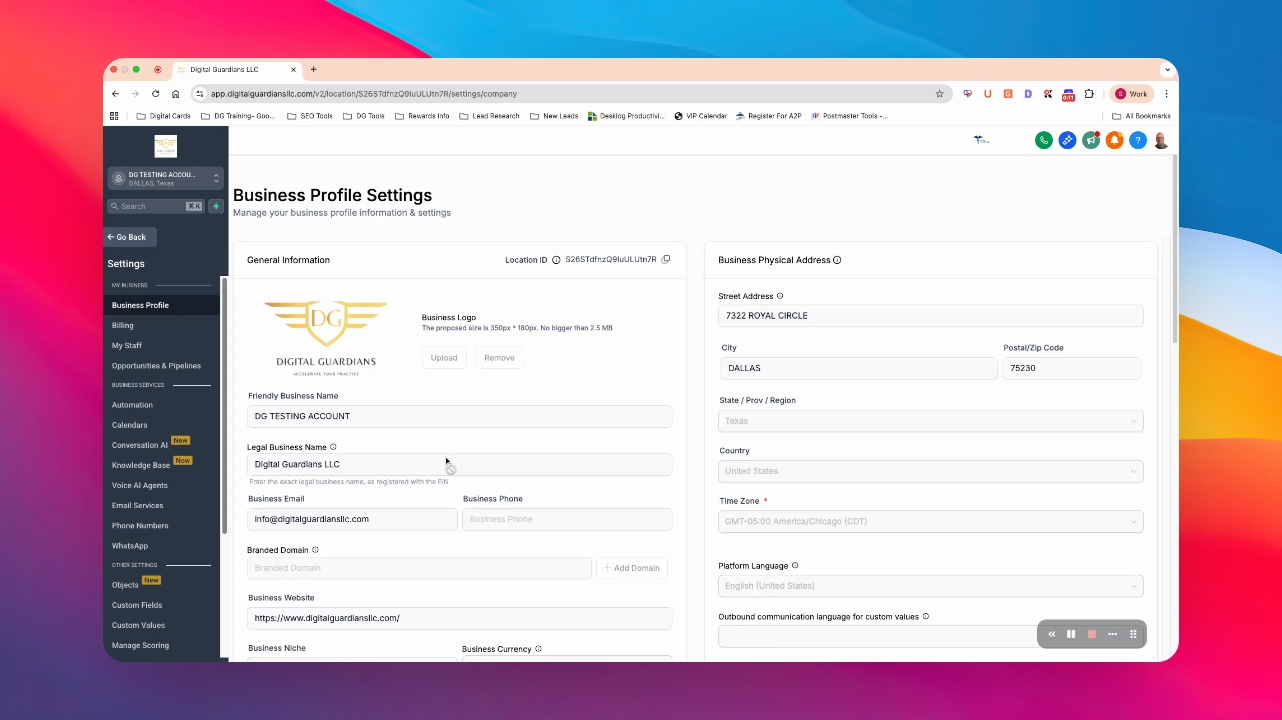
Step 2: Access Business Profile
Proceed to the Business Profile section.
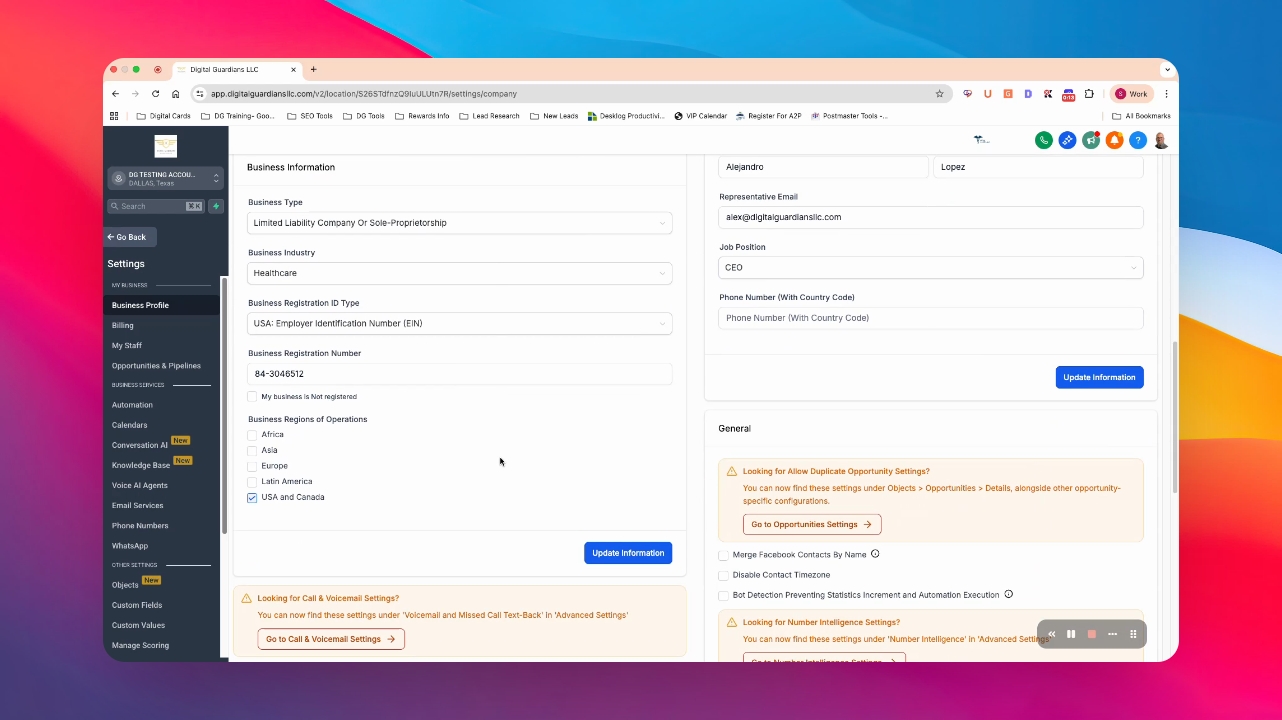
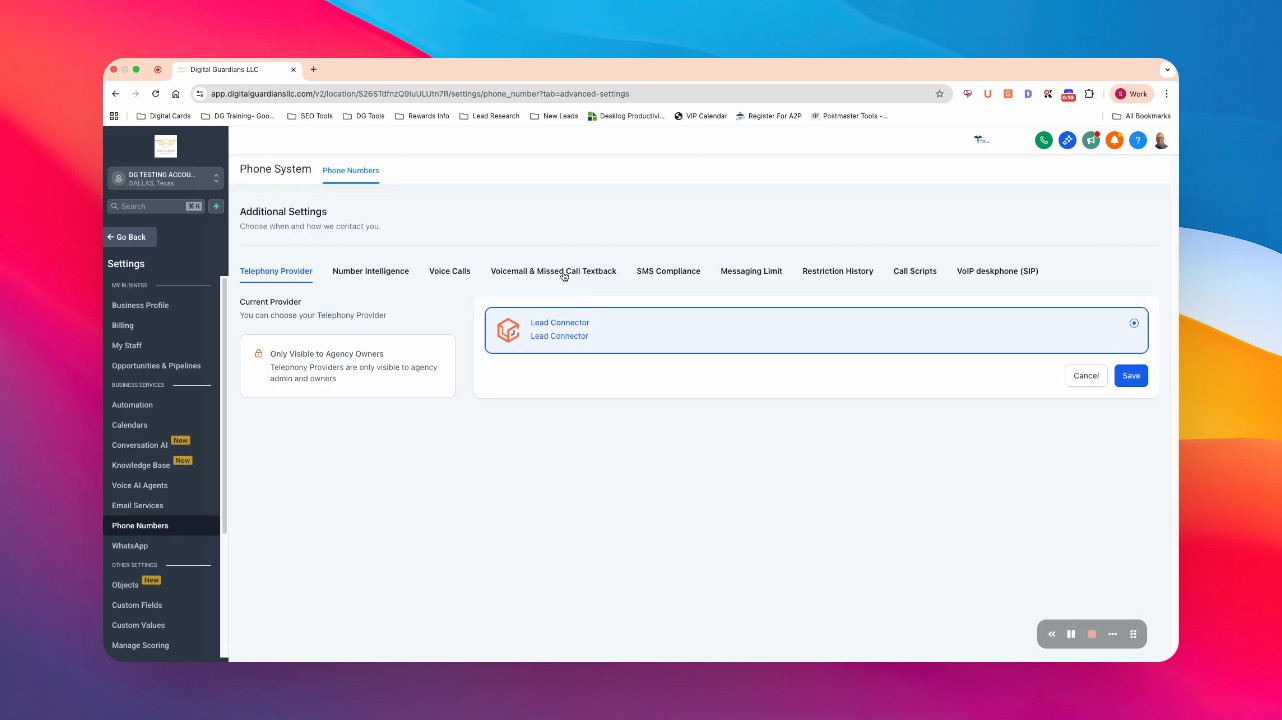
Step 3: Go to Call and Voicemail Settings
Scroll down and select Call and Voicemail Settings.
Step 4: Click Voicemail
Choose the Voicemail option to proceed.
Step 5: Upload your audio file
Record your audio file in the required formats and upload it.
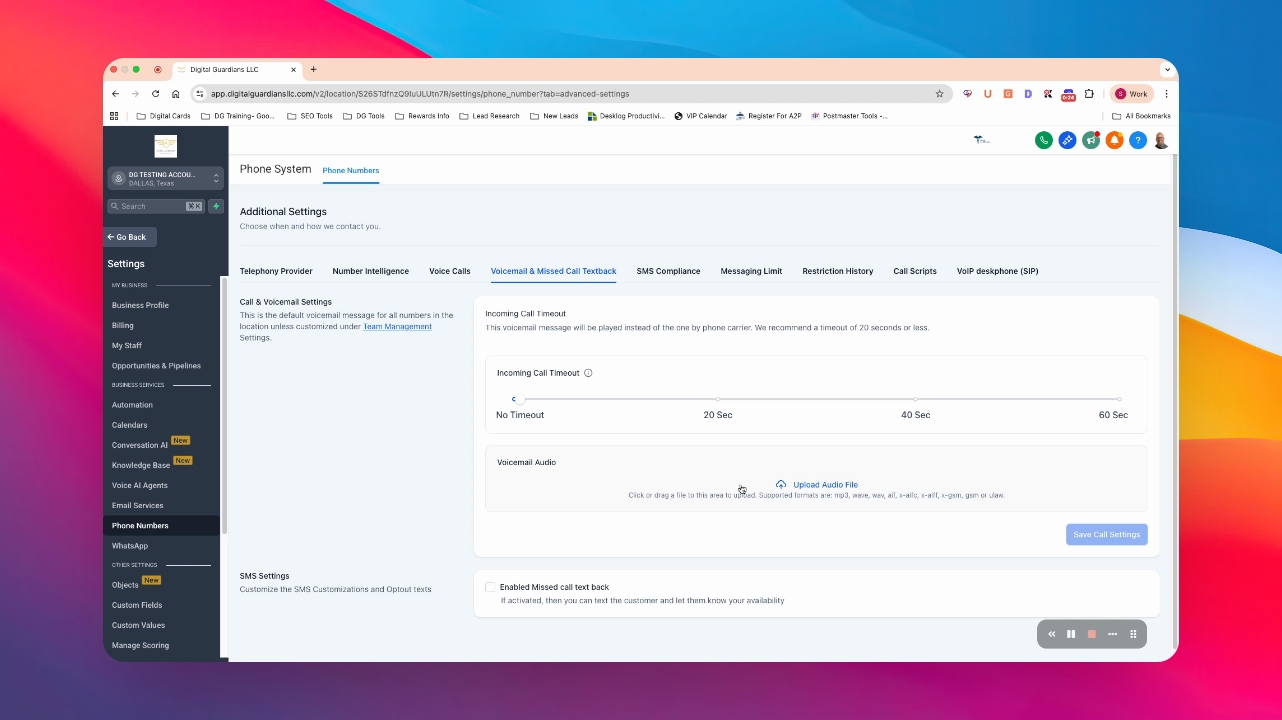
Step 6: Save your changes
Press Save to update your voicemail greeting.